
Photos Don’t Lie
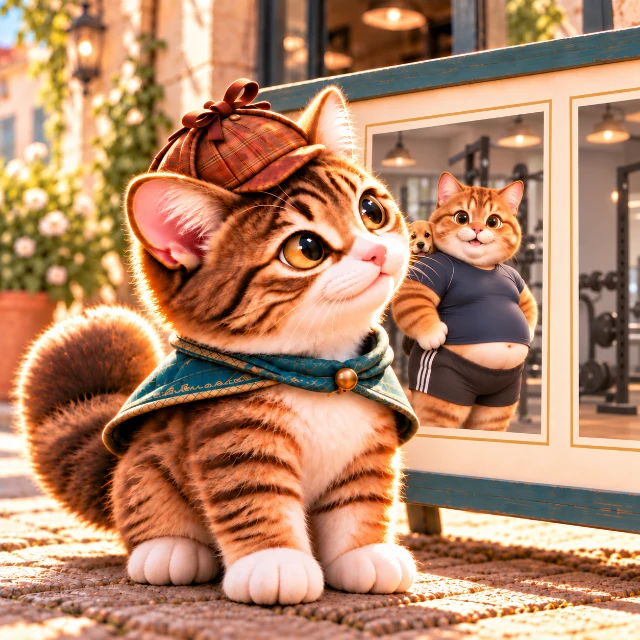
A man decided to join a weight-loss gym after seeing the photos in its advertisement.
The next day, he visited the gym for a tour and spotted a dog that had also appeared in the advertisement’s photos.
He then decided not to join.
Why?
Question your assumptions, one by one.
Ask your AI to host, then ask questions and work out the mystery.
View Hints
Hints
Use as many hints as you need, one at a time.
Hint 1
Seeing the dog changed what the photos in the advertisement meant.
Hint 2
The man noticed a change other than the person’s body shape.
Hint 3
The dog’s growth offers a clue to the order in which the photos were taken.
Check the Answer
Answer
The advertisement showed two photos of the same man, one in which he was fat and one in which he was thin. They looked like a weight-loss success story. However, an adult dog appeared in the background of the photo in which he was fat, while the same dog appeared as a puppy in the background of the photo in which he was thin.
During his tour, the man spotted the dog and recognized it as the one in the advertisement by the heart-shaped black patch around one of its eyes. When he looked at the photos again, using the dog’s growth as a clue, he realized that the photo in which the man was thin had been taken first, and the one in which he was fat had been taken later. He lost trust in the advertisement he had thought showed a success story and decided not to join.
Explanation
If you look only at the person’s body shape, the photos seem to show successful weight loss. But when you focus on the growth of the dog pictured with him, you realize that the photos’ chronology was the reverse of what it seemed. Even without altering the photos themselves, the way they are arranged or explained can make viewers believe a different story. What the dog revealed was an inconsistency in the advertisement, not how effective the gym was.
Likes from everyone. One vote per browser.